Notion became popular as an all-in-one workspace: documents, wikis, project boards and databases in one place. That flexibility is why so many startups begin on it.
It is also why many of them outgrow it. As the team grows, one tool trying to do every job starts to get in the way.
In April, co-founder Akshay Kothari said: "I don't want anyone to ever say wiki or note-taking to me again." Seven months later, Notion is back to talking about knowledge.
On November 5, 2026, CEO Ivan Zhao wrote that Notion wants to be "the best context system for every agent on the planet," with its own agents keeping that context up to date.
Commentators read it as a repositioning more than a product launch: one summary noted the post announces no new product, and another asked whether it is a strategy or a story to justify Notion's new AI pricing.
Context for agents is company knowledge under a new name. So after a year of moving away from the wiki, Notion is moving back toward it.
Most teams searching for an alternative are already deep in Notion. Their documents, projects and meeting notes all live there, and moving feels risky.
What pushes them out is usually depth. An all-in-one tool does many jobs reasonably well, but when one job becomes critical, like keeping company documentation accurate, running projects or capturing meetings, a tool built for that job does it better.
Sprawl makes it worse. When every team member picks their own "best" way to structure pages, Notion becomes a mess.
Reviewers say the same thing. In 60 Notion reviews posted on review sites between May and November 2026, lag in big workspaces was the top complaint (27 reviews), followed by the learning curve (21). Five more described duplicate wikis and pages nobody could find.
This list starts with tools for teams, each built for one job Notion also tries to do. Further down, a short section covers local-first and open-source tools for teams that need their notes on their own devices or servers.
A note on this list: Slite publishes this page and Slite is on it. We say where each tool fits and where it does not, including Slite. Prices and features were checked on each vendor's own pages on November 24, 2026.
What changed at Notion in late 2026?
Three changes matter if you are weighing a move.
- Notion now calls itself a context system for AI agents. Zhao's November 5 post says roughly half the pages in Notion are now created by agents, and ChatGPT and Claude can now save what they learn into Notion. That raises a quality question. When AI writes the documents that other AI then reads, mistakes get copied from page to page, and the knowledge drifts further from what your team actually knows. Agent-written pages are only as good as the human review behind them.
- Custom Agents can keep the wiki up to date, but you have to build and watch them. Notion offers a self-improving answer bot, a Custom Agent template that answers questions in Slack and proposes wiki updates for an owner to approve. Someone has to set it up, decide which sources it trusts, and check that its updates are right. Notion doesn't define who that person is.
- AI is billed per member. Since October 2026, each Business and Enterprise member gets 1,500 Standard and 500 Select AI credits a month. They can't be combined or moved between members and don't roll over.
Plans are Free, Plus at $10 per member per month, Business at $20 and Enterprise at custom pricing, all billed yearly. Business includes Notion Agent, AI Meeting Notes, page verification and search across connected apps.
So the real question is what job you want the tool to do. More and more teams want a company brain: one place where people and AI tools get the same accurate company knowledge.
Notion is now chasing that idea inside an all-in-one workspace. The tools below take it on in different ways, or skip it on purpose.
How we chose these tools
We started from the reasons people give for leaving Notion: findability and sprawl in big workspaces, speed, AI costs, and privacy.
Then we looked at four things.
- Daily driver worthiness: All-in-one tools tend to give up ease of use as they add features. That overwhelms first-time users, especially non-technical ones, and stops a tool from becoming something people open every day.
- AI: Every tool here now has some AI, so we looked past summaries and drafting. We looked at what each tool's AI does, what it costs, and whether you can trace its answers back to a source.
- Stand out features: Every tool has a focus area where it shines, and that may be the one that matters to you.
- Pricing: Notion charges per member and has no read-only seat. We looked at how each tool charges for seats and AI as a team grows, not only the list price.
Prices, plans and AI features come from each vendor's own pricing pages and help docs, checked on November 24, 2026.
Review scores come from G2 unless we say otherwise.
Notion alternatives at a glance
| Tool | Best for | Hosting | AI | Paid plans from (billed yearly) | Free plan |
|---|---|---|---|---|---|
| Slite | Self-maintaining knowledge base for teams and their AI tools | Cloud | AI search with citations, Slite Agent on Pro | $10 per user per month | No |
| Ninety | Leadership teams running on EOS | Cloud | Maz AI on Thrive | $12 per user per month | Yes, view only |
| Superhuman Docs | Building apps and trackers inside documents | Cloud | Docs AI (beta) for Doc Makers | $12 per Doc Maker per month | Yes |
| ClickUp | Projects, tasks and documents in one place | Cloud | ClickUp Brain, AI credits on paid plans | $9 per user per month | Yes |
| Airtable | Database-heavy work and reporting | Cloud | AI fields and Omni | $20 per seat per month | Yes |
| Granola | AI meeting notes without a bot in the call | Cloud | AI notes, chat across meetings, MCP | $14 per user per month | Yes, limited history |
| Obsidian | Personal knowledge base in plain Markdown | Local | None built in, plugins | Sync $4 per user per month | Yes, core app |
| Anytype | Private, encrypted notes that work offline | Local-first, optional self-hosted sync | None built in, MCP server | $4 per month for more storage | Yes |
| AppFlowy | Open-source Notion-style workspace you can self-host | Cloud or self-hosted | Built-in AI, local AI through Ollama | $12 per member per month | Yes |
Best Notion alternatives for teams
These six are built for teams sharing work and knowledge.
- Slite if you need accurate company knowledge that your team and AI tools can rely on.
- Ninety if your leadership team runs on EOS and wants meetings, goals and process documentation in one place.
- Superhuman Docs if you want to build apps and trackers on top of your documents.
- ClickUp if you want project management and documents in one tool.
- Airtable if your work lives in databases and dashboards.
- Granola if your Notion use is mostly meeting notes.
Slite
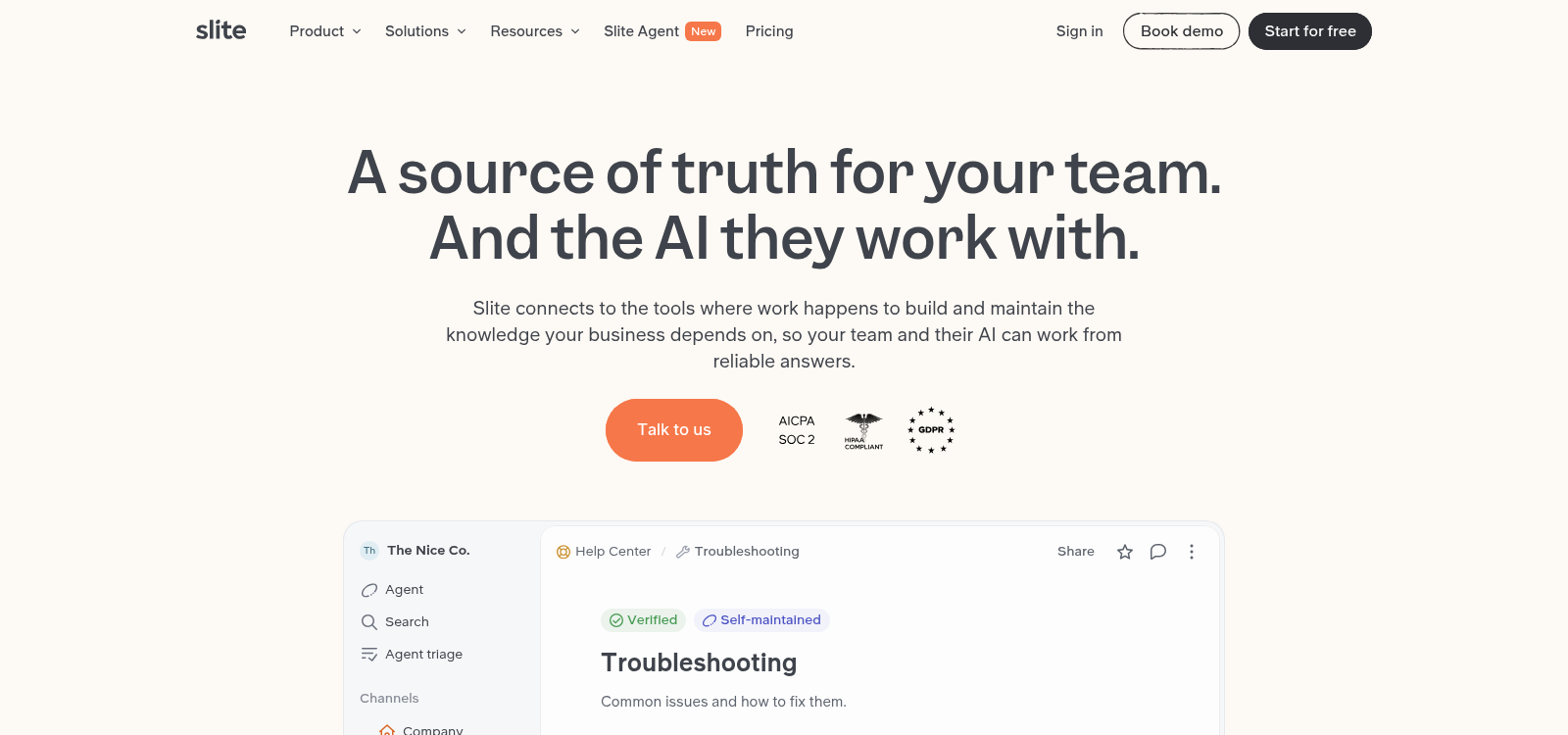
Slite is a self-maintaining knowledge base for your team and the AI tools they use.
It turns scattered company knowledge into one maintained source of truth, and keeps it accurate as daily work happens.
Where Notion tries to do every job, Slite focuses on three things.
1. Easy to adopt across the whole company.
A Notion page can be a database, a board, a form or a website, and that choice overwhelms most people beyond a few power users.
Slite is deliberately simpler.
Its editor is clean and fast, with everything teams need to write documentation together, Collections for structured data, and nothing that turns a page into a project.
G2 reviewers rate Slite 9.3 for ease of use, against 8.4 for Notion.
2. Verified knowledge as a system, not a checkbox.
Notion Business can mark a page as verified.
In Slite, verification is one part of a full routine for keeping knowledge accurate.
- Every document has an owner, so someone is always responsible for it.
- Owners set a verification period, and Slite reminds them 7 days and 1 day before it expires, and again when it does.
- Anyone can flag a document as outdated or request verification, which notifies the owner.
- The Knowledge Management Panel shows every expired, outdated or unowned document in one place, so you can reassign owners or request verification in bulk.
Slite's AI search uses all of this.
It ranks verified documents higher, deprioritizes outdated ones, and says when it doesn't know.
On Pro, search also covers connected tools like Slack, Google Drive, GitHub and Linear, and respects each tool's permissions.
We tested this against Notion.
In September 2026, Slite Agent and Notion's Custom Agent answered the same 62 questions from identical copies of the same documents, graded blind.
Accuracy was a tie, but Slite was faster on 60 of 62 questions, took 45% less time overall and cost about 9% less.
3. Maintenance built into the product.
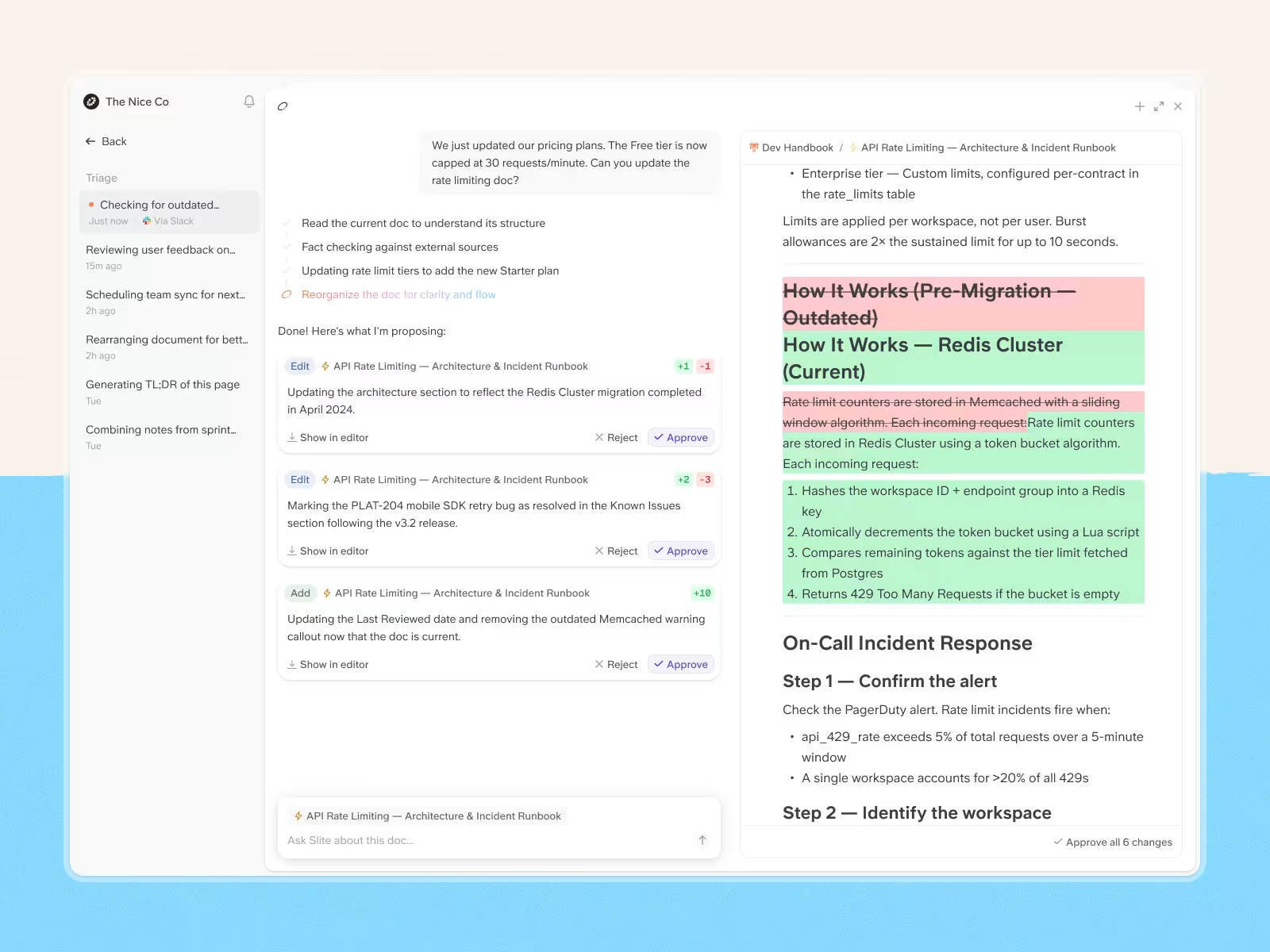
In a company of hundreds, processes change every week and nobody owns going back to fix the documentation. With maintenance programs, you choose a set of documents, the sources Slite Agent should trust and the maintainers who review its work.
The Agent checks those documents on a schedule against your connected tools and suggests fixes. Every fix arrives as a change request, and nothing changes in a document until a maintainer approves it.
Notion now promises something similar with its self-improving answer bot. The difference is in the setup: Notion's version is a Custom Agent you build and supervise yourself. In Slite, maintainers are a defined role, and ownership, verification, reminders, search ranking and approved updates work together as one system on every Pro workspace.
Slite pricing starts at $10 per user per month on Basic and $20 on Pro, billed yearly.
Pro includes Slite Agent and 50 AI credits per seat per month, shared across the workspace, so unused credits go to whoever needs them.
Enterprise adds reader-only seats.
Every plan includes an MCP server, so AI tools like Claude and ChatGPT can read, create and edit documents directly.
Where Slite is not the right fit:
- You want projects, tasks and documents in one tool. Slite has no boards, timelines or task management.
- You need forms or relational databases. Slite's Collections handle structured lists, but Airtable, Notion or Superhuman Docs go much further.
- You're one person organizing personal notes. Obsidian or Anytype will cost less and suit that job better.
- You want a free plan. Slite's plans are paid.
Keep reading: Compare Notion vs Slite in detail
Ninety
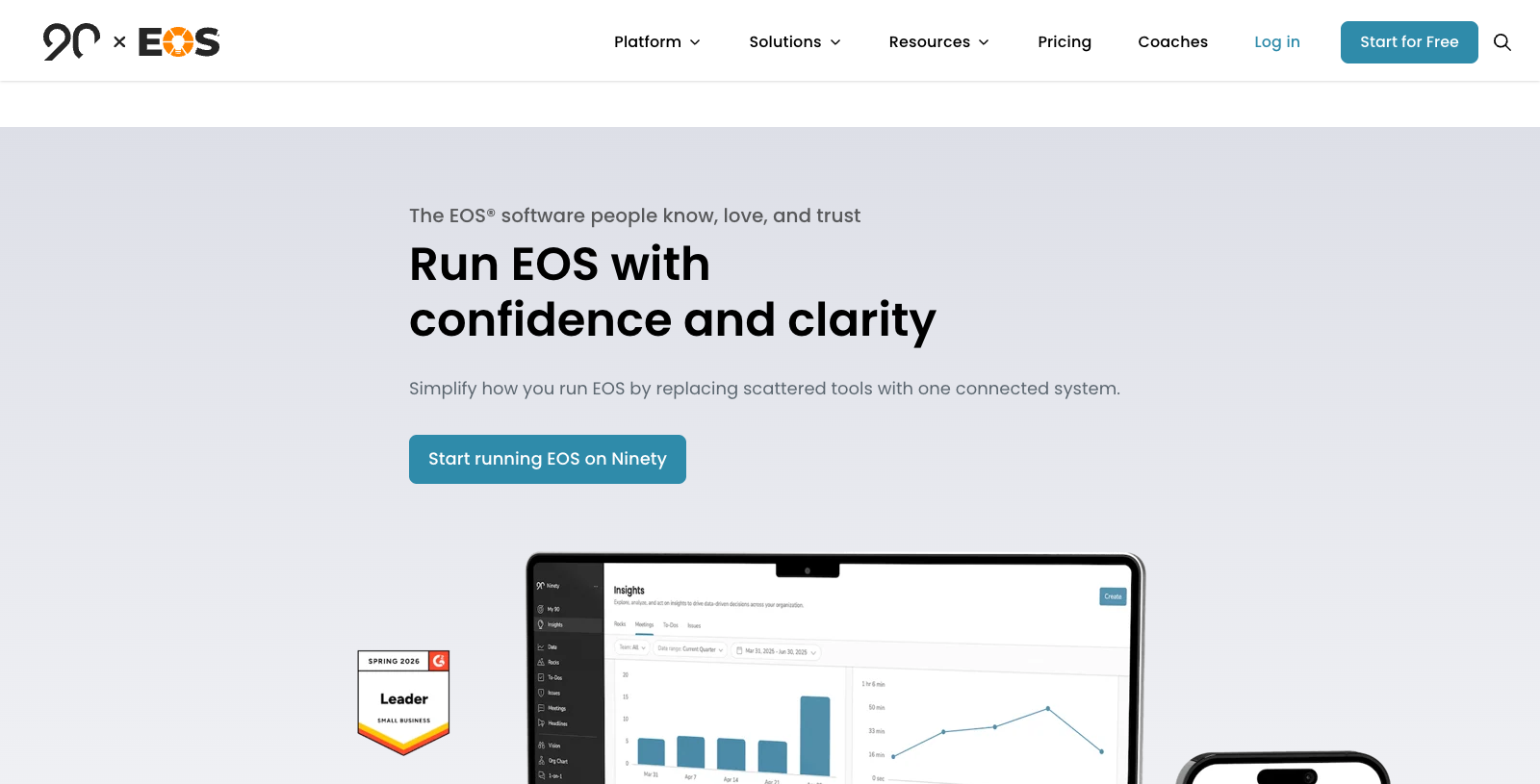
If Notion is designed to adapt to almost any workflow, Ninety offers a structured business operating system that brings planning, meetings, documentation, and accountability together in one place.
The platform is built for leadership teams that run on EOS and want visibility across their organization and day-to-day execution in the same workspace. Ninety includes tools for scorecards, quarterly Rocks, Issues, To-Dos, recurring meeting agendas, and process documentation.
The standout feature is its built-in operating framework. Instead of starting with a blank workspace, teams get dedicated tools for planning, meetings, documentation, and accountability from day one.
Ninety also includes Maz, an AI assistant that answers questions about your account data and can create or edit Rocks, To-Dos, Issues and Headlines.
The trade-off is flexibility. Teams that enjoy building highly customized workspaces may prefer Notion's open-ended setup. Ninety is a better fit for organizations that want a set way to run meetings, goals, documentation and company operations.
Ninety offers a free plan where users can view but not edit. Paid plans start at $12 per user per month, and process documentation, Knowledge Portal editing and Maz sit on the top Thrive plan at $16.
Superhuman Docs
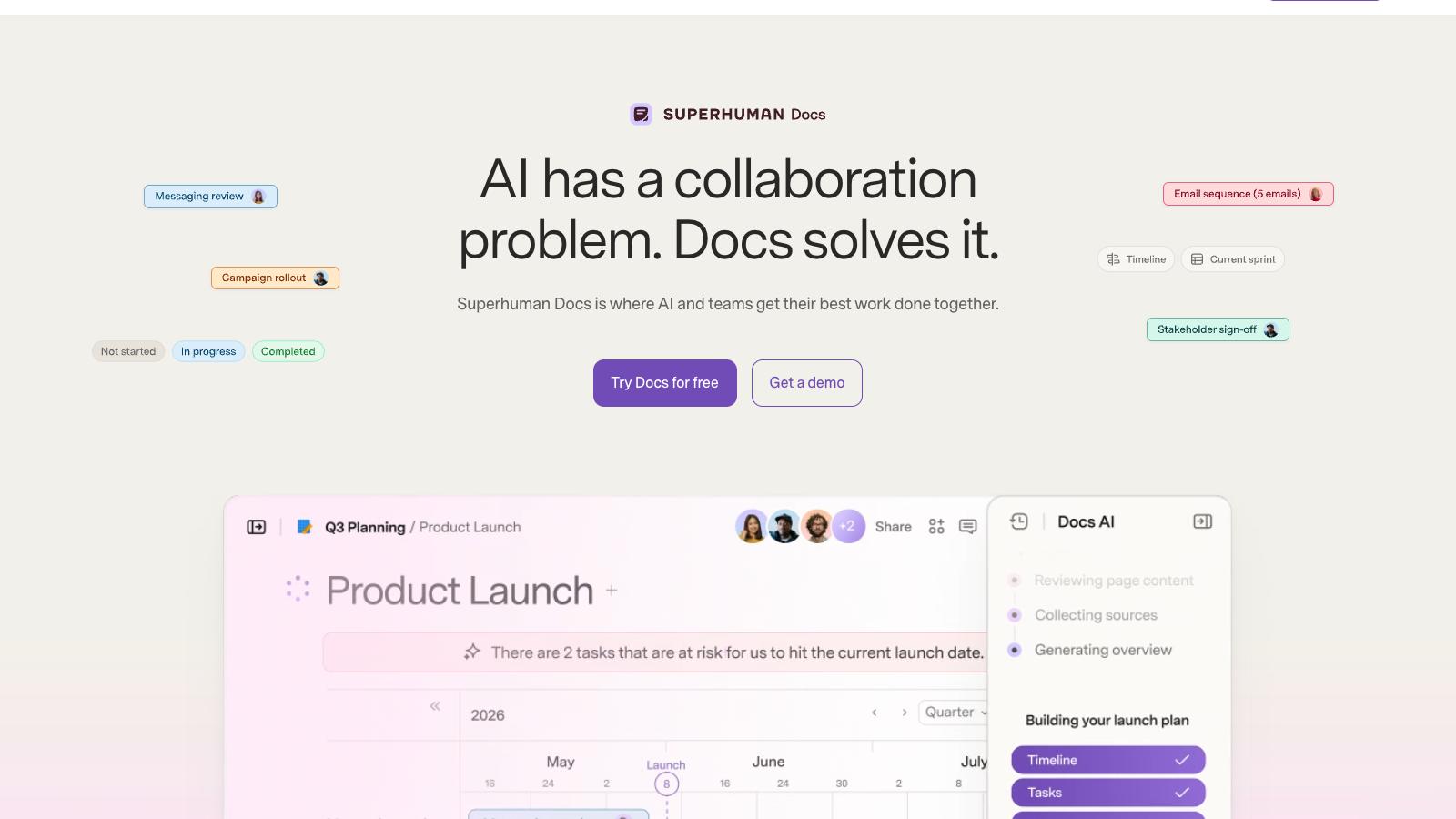
Superhuman Docs is the product formerly known as Coda, now part of the Superhuman suite with Grammarly and Superhuman Mail. If Notion is the Swiss Army knife of productivity tools, Superhuman Docs is trying to be the entire toolbox.
Its standout feature is Packs, an inside-the-document integration layer that connects it to tools like Figma, Jira, Salesforce, Slack, Google Workspace and Microsoft 365. Notion has added a lot here too, with AI connectors and synced databases, so compare them on the tools you actually use.
Superhuman Docs breaks down into four main components:
- Trackers (supercharged spreadsheets)
- Applications (buttons, formulas and visualizations on top of your documents and spreadsheets)
- Hubs (for organizing your documents)
- Writeups (their version of collaborative documents)
Docs AI is a chat assistant that can draft content, build tables and views, and answer questions across your workspace. It's in beta and available to Doc Makers. There's also an MCP server for tools like Claude.
With great power comes great complexity. The learning curve is one of the most mentioned cons of Superhuman Docs on G2, and users report slowdowns as workspaces grow.
Superhuman Docs uses Doc Maker billing, so you only pay for people who create documents. That can save money for teams with many readers and few writers.
Paid plans start at $12 per Doc Maker per month on Pro and $33 on Business.
It's best suited for small teams of technical builders, or larger teams with a dedicated expert to run the setup.
ClickUp
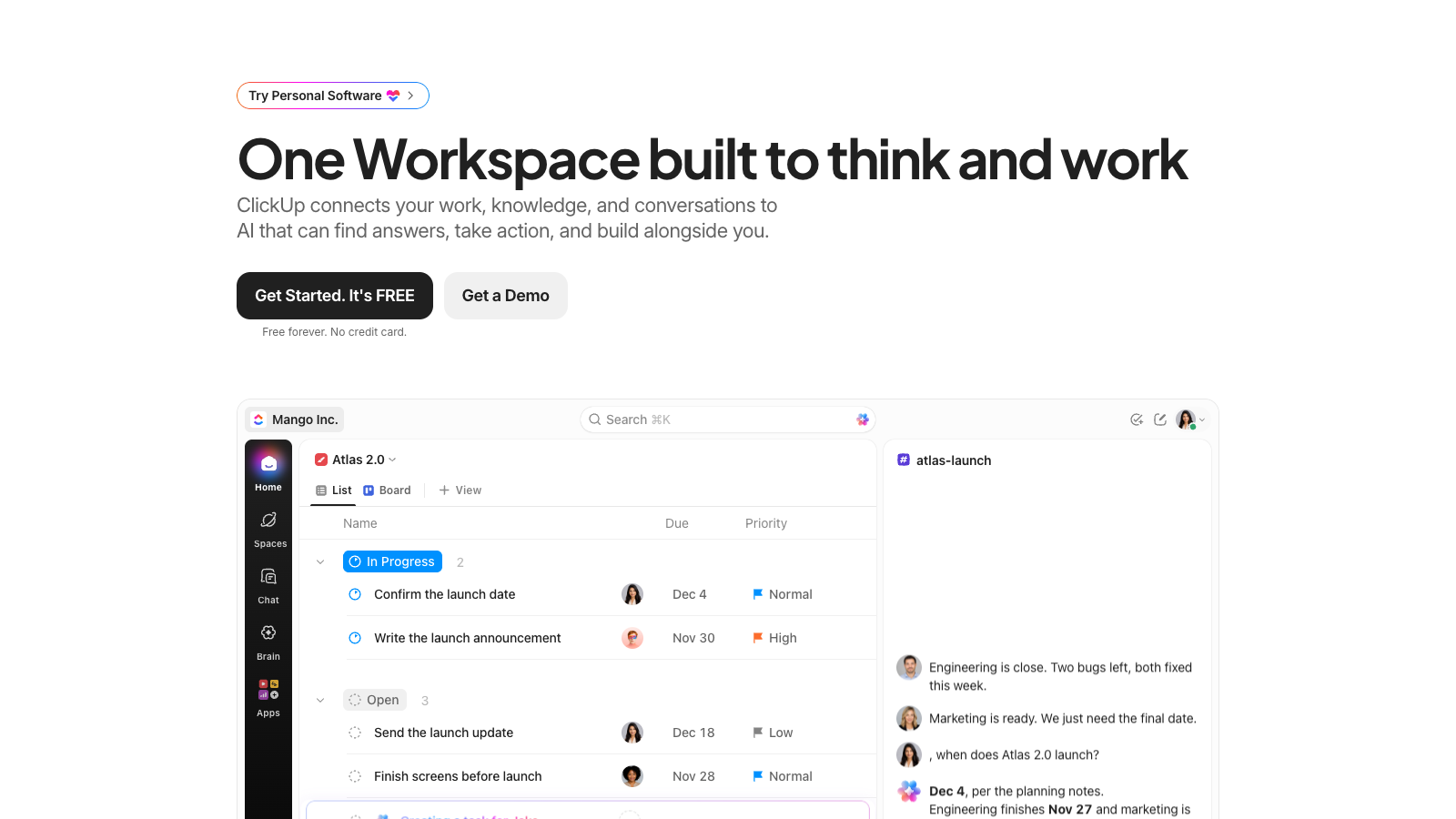
ClickUp started as a project management tool and now calls itself "one Workspace built to think and work." It offers documents, projects, chat, AI, whiteboards, dashboards, forms and time tracking.
If your Notion workspace is mostly task boards and sprint planning, ClickUp will feel like an upgrade. Its strength is project management automations and workflows, which cut the busywork of creating and updating tickets, and views like Gantt, workload and timeline go further than Notion's database views.
ClickUp is now chasing the same company brain idea as Notion. ClickUp Brain is its AI assistant, built on what ClickUp calls a "self-updating Company Brain." It lets you pick between models like GPT, Claude and Gemini, and ClickUp now also sells AI agents that take on tasks for you.
It pulls live activity from tasks, documents, chat, calls and connected tools like GitHub, Slack and Google Drive, so its answers reflect what is happening in your projects right now.
The difference from a knowledge base is what it treats as the source. ClickUp's brain learns from work activity as it happens, and it does not ask anyone to own or verify a document, so it can tell you what changed in a project, but not which process document is the approved one.
The breadth is also its weakness. Many customers join for project management and struggle to adopt the newer features, and reviewers often describe the interface as crowded.
ClickUp offers a free plan, and paid plans start at $9 per user per month on Core, billed yearly. Paid plans include pooled AI credits, from 1,000 per user per month on Core to 1,500 on Business.
Airtable
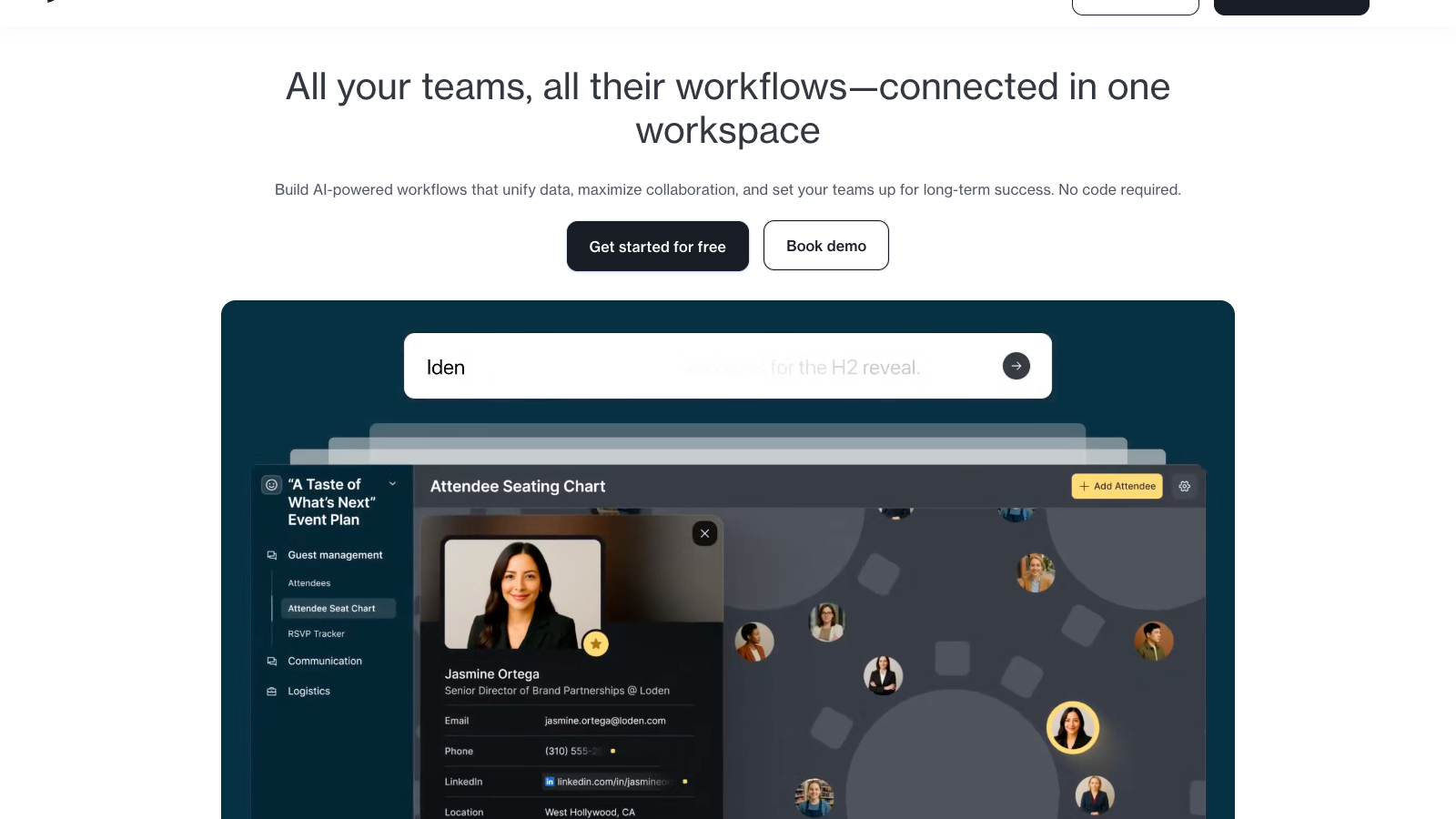
Airtable is the database tool many Notion users reach for when their databases outgrow Notion. Notion databases slow down as they grow, and relations and rollups get hard to manage.
Airtable is built for that scale, with field types, linked records and permissions designed for data first. Its standout feature is how it visualizes data from tables, either natively or through an integration.
Interfaces let you build a dashboard or a simple app on top of a base without code, so people who never touch the raw tables still get a clean view. It suits data-heavy teams like operations, analysts, performance marketers and finance.
You can build a form, collect responses into Airtable and turn them into a simple dashboard in an afternoon. AI fields can summarize, classify or tag records as they come in. Omni, Airtable's AI assistant, builds apps and workflows from a prompt. Superagent, a separate Airtable product launched in January 2026, researches questions and writes reports.
Airtable is weaker as a place to write. Long documents, wikis and meeting notes are better kept elsewhere and linked in.
Airtable has four tiers: Free, Team ($20 per seat per month), Business ($45 per seat per month) and Enterprise Scale (custom). Going past 50,000 records or 25,000 automation runs pushes you from Team to Business, a 125% per-seat increase.
Airtable is also changing hands. Bending Spoons acquired it in September 2026, so teams planning a long rollout should watch pricing and roadmap changes.
Granola
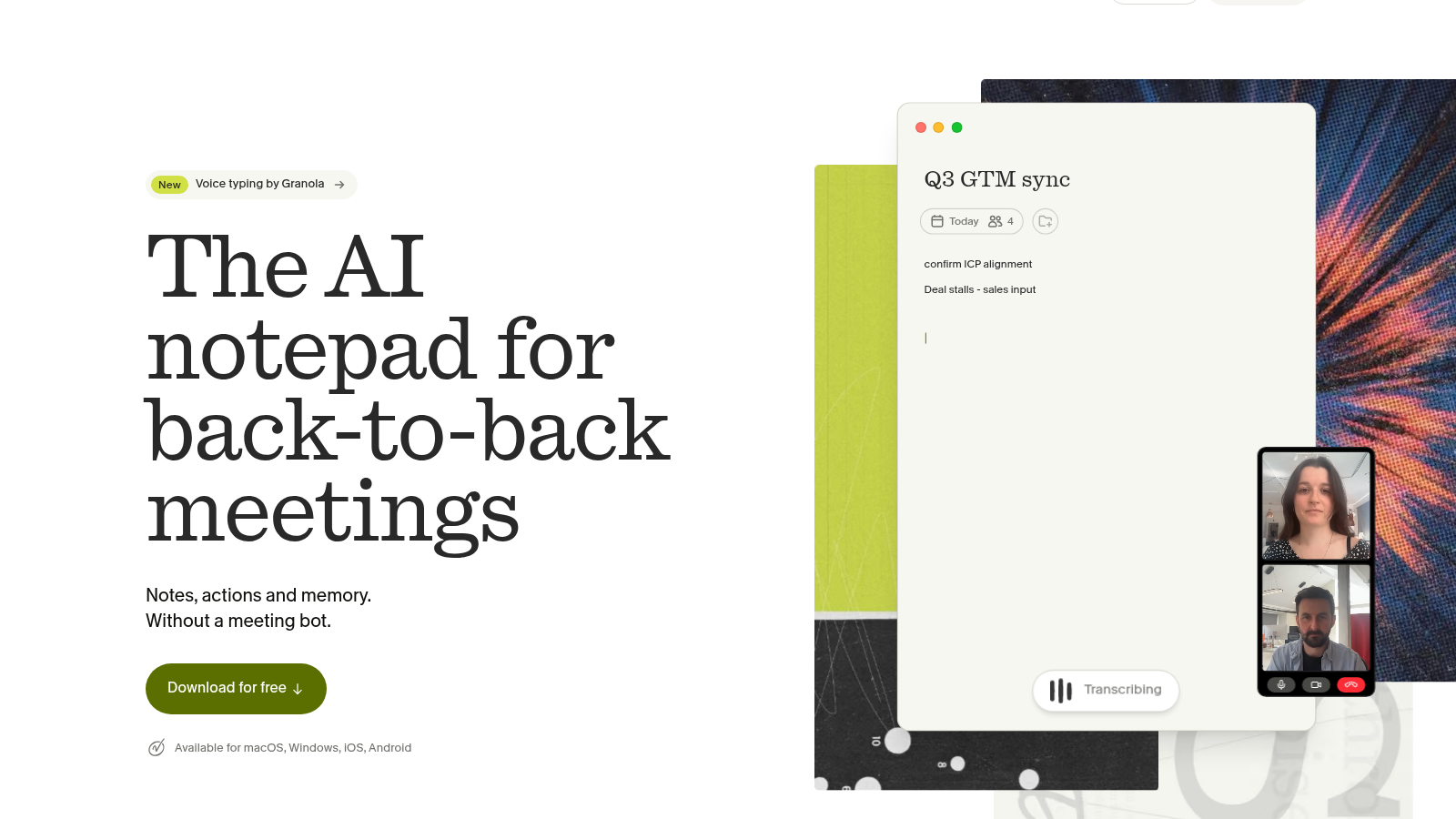
A large share of what teams keep in Notion is meeting notes, and Notion's AI Meeting Notes now sits on the Business plan. Granola is an AI notepad built only for that job.
It captures audio from your device instead of sending a bot into the call, so meetings feel normal. You type rough notes as you listen, and Granola turns them into clean notes using the transcript.
Afterward, you can chat across all your meetings, share notes in team folders and send them to Slack, Notion, HubSpot or Attio. On Business, an MCP server and an API let Claude, ChatGPT and other tools read your meeting notes.
The trade-off is scope. Granola captures what was said, but it is not a place to keep processes, policies or project plans, so most teams pair it with a knowledge base or project tool.
Granola has a free plan with limited meeting history. Business costs $14 per user per month and Enterprise $35, with SSO and admin controls.
Local-first and open-source alternatives
The tools in this section keep your notes on your own devices or servers. They suit teams with strict privacy or hosting rules, and individuals who want full control of their files.
- Obsidian if you want a personal knowledge base in plain Markdown files.
- Anytype if you want private, encrypted notes that work offline.
- AppFlowy if you want an open-source workspace you can self-host.
Obsidian
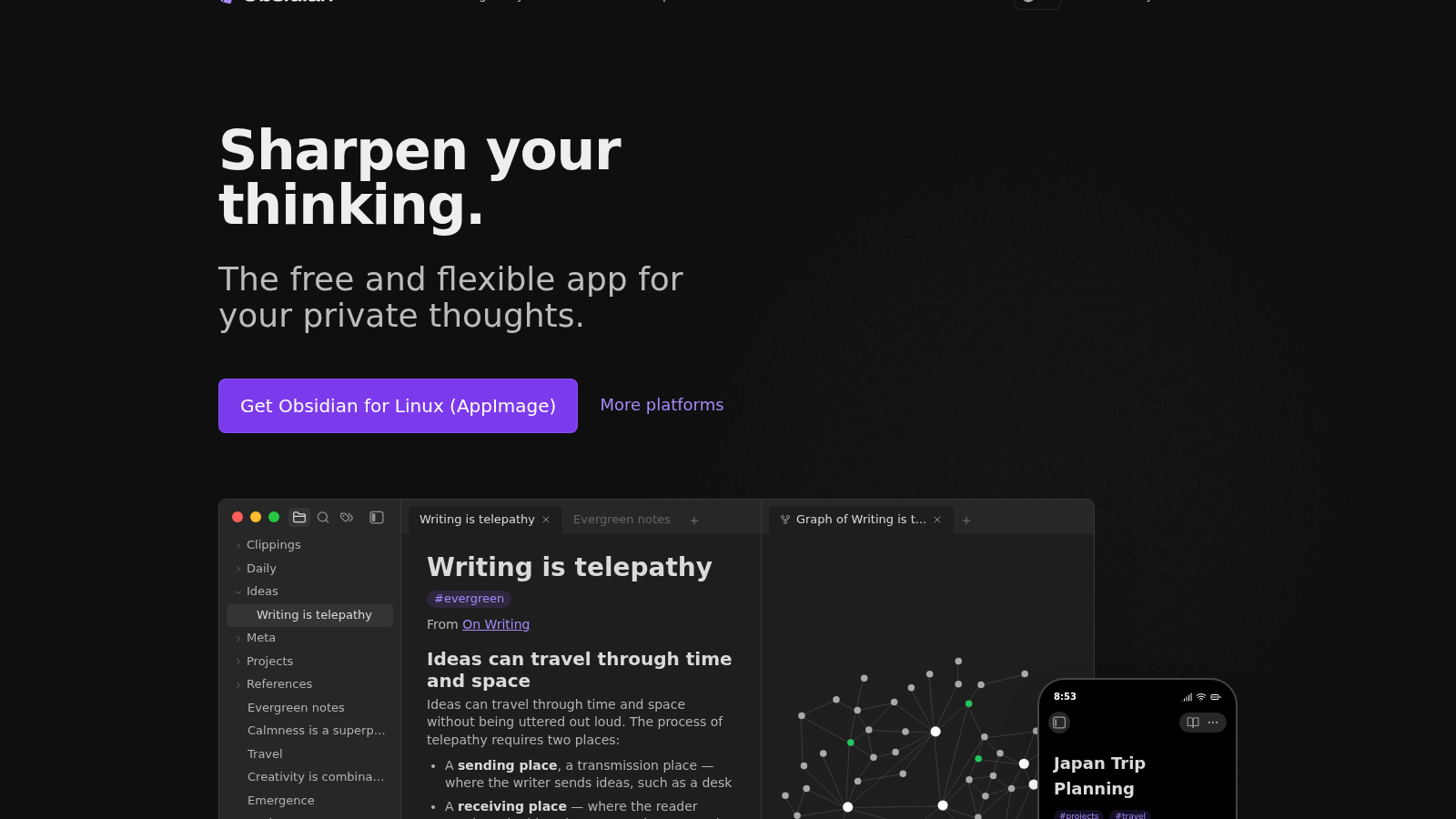
Obsidian keeps everything on your device as plain Markdown files. Your data lives in a folder on your computer, so there's no lock-in.
Its best-known feature is the graph. You link notes and see those connections as an interactive web, which suits researchers, writers and anyone who thinks in connections rather than folders.
Community plugins turn it into a task manager, a daily planner, a Kanban board or a publishing tool. Obsidian is built for individuals.
There's no real-time co-editing or admin dashboard, though Obsidian Sync lets you share a vault. The core app is free, including for work use.
Obsidian Sync costs $4 per user per month and Publish $8 per site per month, billed yearly.
Anytype
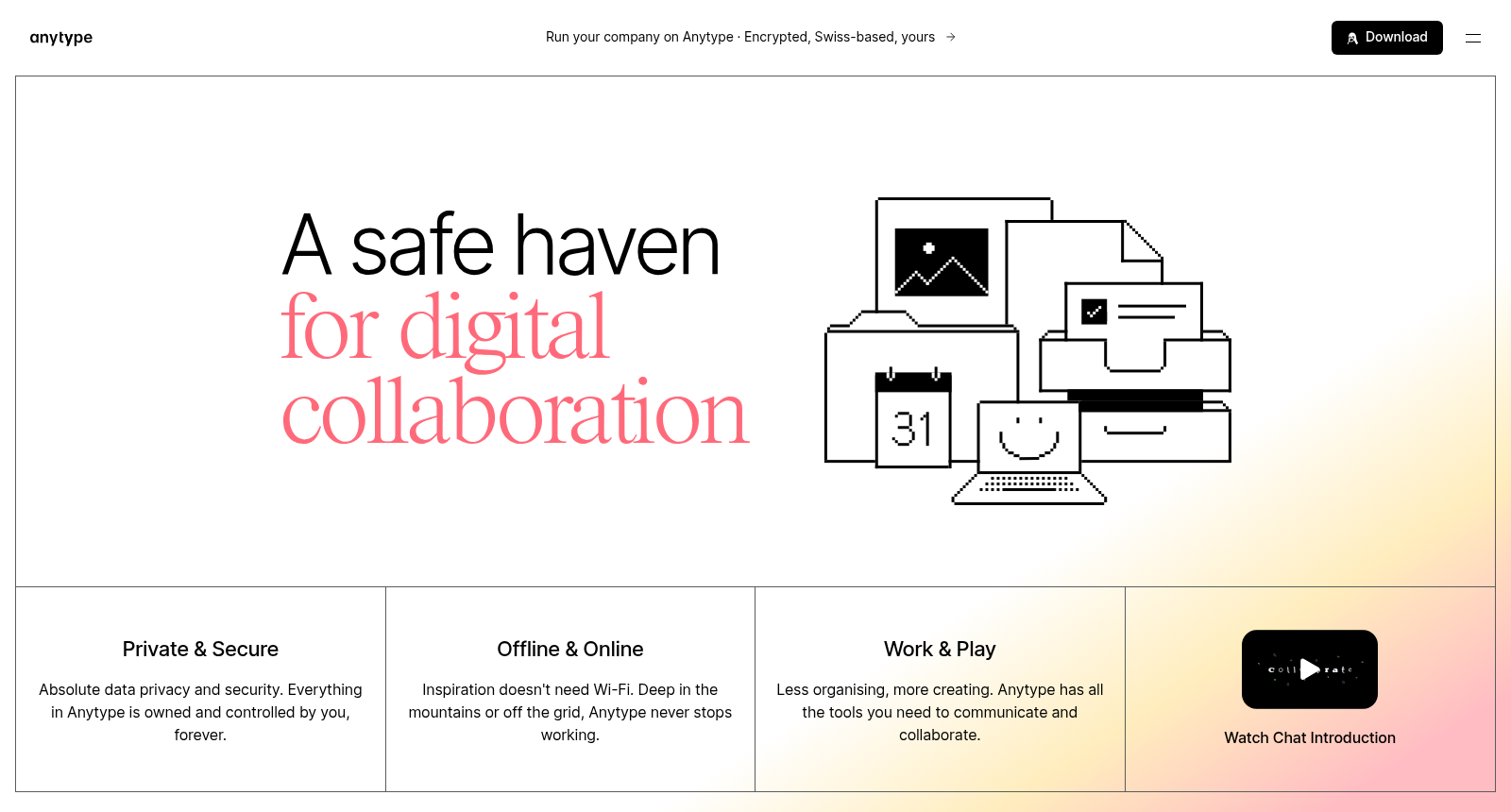
If privacy is the main reason you're leaving Notion, Anytype is worth a look. It's a local-first workspace: your notes live encrypted on your own devices and work offline, with optional peer-to-peer sync between devices and teammates.
Anytype is built around objects. Every page, task or book note is an object with its own type and template, and you can view sets of them as tables, Kanban boards or galleries.
It will feel familiar if you come from Notion, but the object model takes some getting used to. Shared channels are end-to-end encrypted and support real-time co-editing and chat.
There are no page-level permissions, so everyone in a channel sees everything in it. There's no built-in AI assistant, but an open API and an official MCP server let you connect the AI tool of your choice.
Users report sync conflicts and a weaker mobile editor. Access depends on your recovery phrase, so if you lose it, you lose your data.
Anytype is free with 100 MB of remote storage, and paid plans start at $4 per month for more storage. Anytype for Business adds projects, CRM and chat for teams, with SSO, an admin panel and self-hosting.
AppFlowy
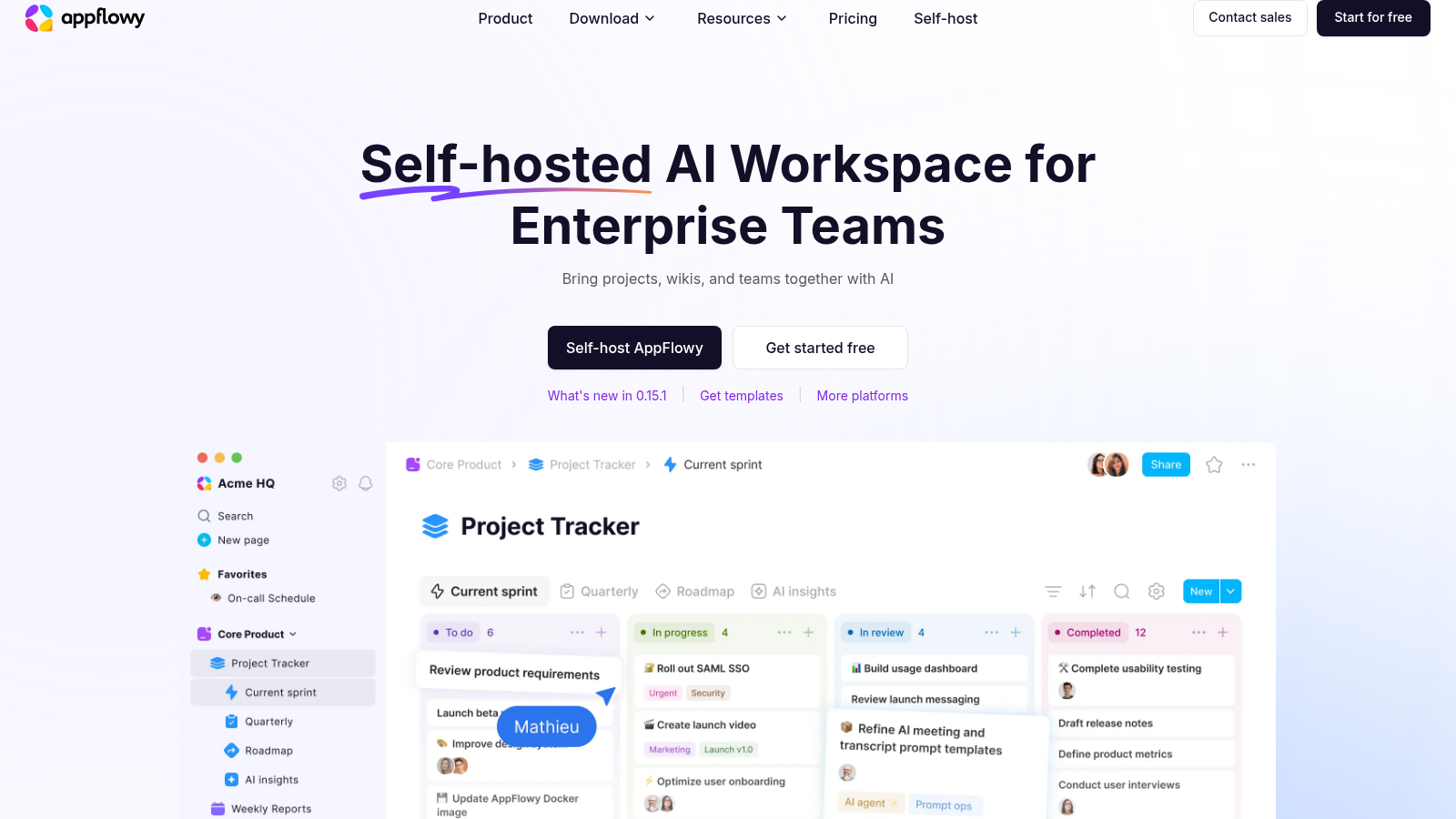
AppFlowy is the closest thing to an open-source Notion. It brings documents, wikis, projects and databases into one workspace, on AppFlowy's cloud or on your own servers.
Its databases will feel familiar: grid, board and calendar views over the same data, plus relations and dashboards. AI is where it stands out among open-source tools.
It includes AI search, a writing assistant and meeting notes, and on desktop you can run AI models locally through Ollama. It's younger than Notion.
Users report less reliable mobile sync and a slow web app on large workspaces. AppFlowy is free for personal use.
Pro costs $12 per member per month billed yearly. Self-hosted pricing for teams isn't published.
Which Notion alternative fits your team?
- Accurate company knowledge: If you want a source of truth that stays accurate, Slite is built for it, with owners, verification, reminders and owner-approved updates from Slite Agent.
- A company brain for your AI tools: Notion, ClickUp and Slite all pitch this now. Notion and ClickUp build it from everything in their workspace. Slite builds it from verified documents and serves them to Claude, Cursor and ChatGPT through an MCP server on every plan. Choose by what you want your AI to trust: all activity, or approved knowledge.
- Keeping Notion: You may not need to leave. Many large teams keep Notion for work in progress and their essential knowledge in Slite. Slite's search can also cover your Notion workspace and cite both sources.
- Cost at scale: Look at who needs a paid seat and how AI is billed. Superhuman Docs only charges Doc Makers. Slite pools AI credits across the workspace and offers reader-only seats on Enterprise. Notion gives each member their own credits, which can't be shared.
- Projects and tasks: ClickUp.
- Running the company on EOS: Ninety.
- Databases and reporting: Airtable.
- Meeting notes: Granola.
- Privacy and self-hosting: Anytype or AppFlowy.
- Personal notes: Obsidian.
If you want an all-in-one tool with AI built into the workspace and projects and documents in one place, Notion may still be your best option.
Test two or three tools against your most important needs.
Prioritize adoption, because a feature-rich tool fails if your team finds it hard to use every day.
FAQ
Is Notion a good option as an internal knowledge base?
Notion works well as a knowledge base for small teams, and Business now includes page verification and search across connected apps. Past 100 people, documents multiply and go out of date faster than anyone can verify them, and keeping them current is still left to you or to agents you build. See how Slite keeps knowledge accurate for teams of 100+.
What is the best Notion alternative for teams?
It depends on what your team uses Notion for. For a source of truth that stays accurate as you grow, Slite is built for teams of 100+. For project management, ClickUp is stronger than Notion. To build custom apps on top of your documents, Superhuman Docs is the closest match. For meeting notes, Granola does one job well. If you need to self-host, AppFlowy is the team-ready open-source option.
Who are Notion's main competitors?
Notion competes with different tools depending on how you use it. As a knowledge base, its competitors include Slite and Confluence (we also compared Confluence alternatives). As an all-in-one workspace, it's Superhuman Docs, ClickUp and Microsoft Loop. For personal notes, it's Obsidian and Anytype. Since November 2026, Notion positions itself as a context system for AI agents, which puts it up against company brain tools from ClickUp, Glean and Slite.
Is there an alternative to Notion AI?
For answering questions from company knowledge, yes. Slite's AI search answers with citations from your documents and connected tools, including Notion, ranks verified documents higher and says when it doesn't know. It doesn't try to replace Notion AI's writing help or general-purpose agents. For meeting notes, Granola is a dedicated alternative to Notion AI Meeting Notes.
How painful is the migration from Notion? Will we lose our content?
Slite's Notion importer brings your pages across, including headings, lists, links between documents, images and videos, and turns databases into Collections. Some things don't carry over perfectly, like @mentions, which become plain text, and big Notion workspaces can take a while to export. On Enterprise, our team handles the migration with you, with onboarding and training to follow.
On Enterprise, we handle a Confluence migration the same way.